
Summary
Shortlist Claister for client-linked recurring work, document requests and a human-controlled follow-up process in a pilot workspace. Keep TaxDome on the shortlist when integrated e-signatures, proposals and payment collection are central to the engagement. This comparison is published by Claister and based on official product information, not independent hands-on testing of TaxDome.
Consider Claister
Your priority is coordinating clients, recurring periods, requests and staff work.
Consider TaxDome
Your engagement depends on a combined portal, signatures, proposals and payment flow.
Test the whole engagement
A replacement must cover the work around a task, not only its deadline.
Compare the workflow you actually use
TaxDome's official plan page describes its portal, workflow automation, proposals, e-signatures and payments. Plan and regional details matter. The table distinguishes those published capabilities from what Claister's current implementation supports.
Recurring work
- Claister
- Separate client/period cycle tasks, a recurring matrix and preserved task history.
- TaxDome
- Published accounting workflows and automations; demonstrate your recurring engagement in the chosen plan.
Client documents
- Claister
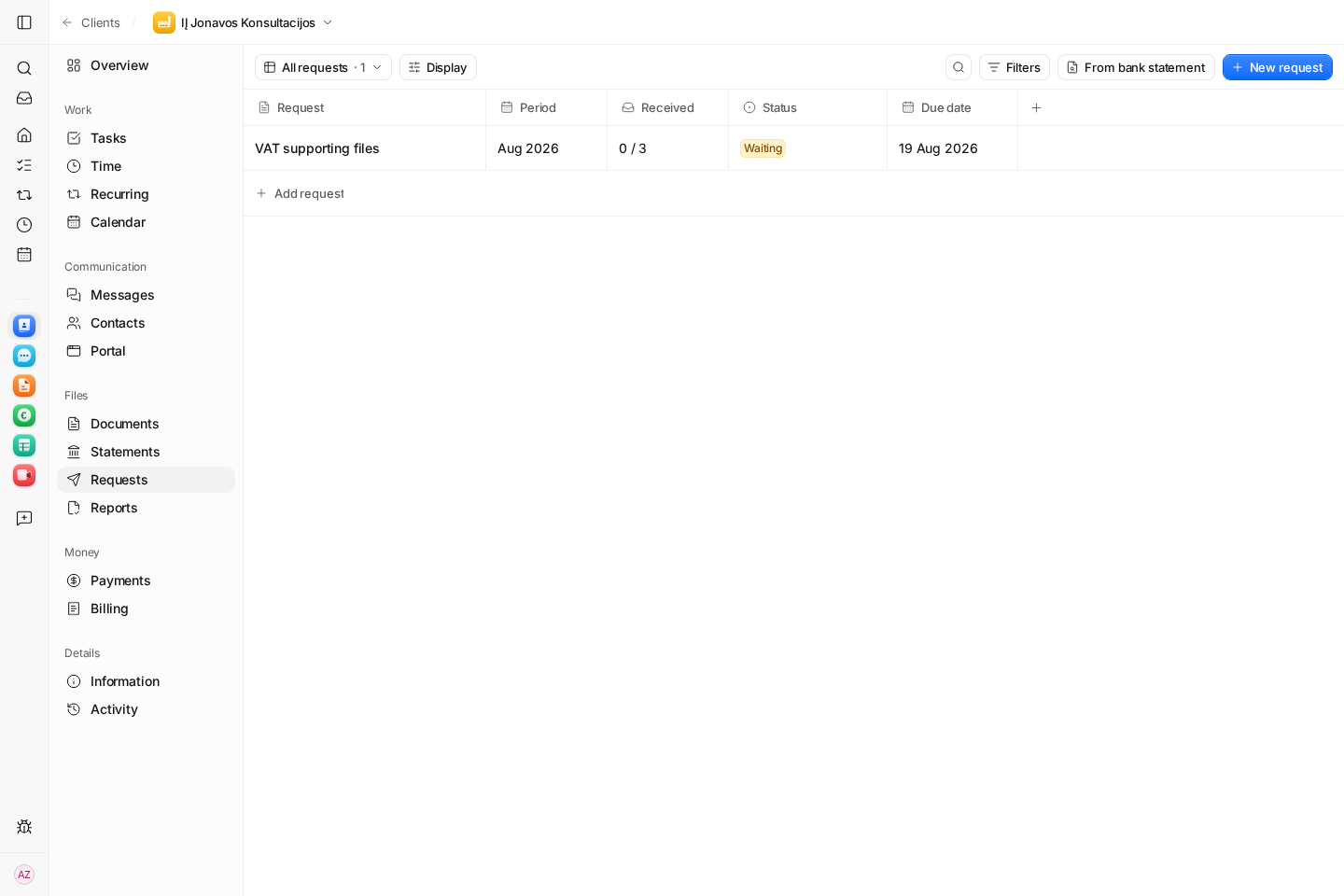
- Itemized period requests; a returned file still needs accountant acceptance.
- TaxDome
- Published document request lists, storage and client portal. Test how partial returns and corrections are reviewed.
Client portal
- Claister
- Company-scoped access, invitations and client preview from the client record.
- TaxDome
- Published web portal and client mobile app, with plan-specific branding and language options.
Signatures and payment collection
- Claister
- No equivalent integrated e-signature or card-collection flow is promised by this comparison. Review the pilot's billing scope separately.
- TaxDome
- The plan page includes e-signatures, proposals and payment collection. Confirm your country's supported signing and payment setup.
Follow-up
- Claister
- Editable drafts and suggested follow-ups; a person reviews and sends.
- TaxDome
- Published workflow automation. Test the exact reminder triggers, recipient and stopping rules.
Language and market fit
- Claister
- The website is EN/LT; the current app UI is English and Russian. Lithuanian bookkeeping remains in your ledger.
- TaxDome
- Check the staff and client languages and local integrations your firm needs; US tax features alone do not establish Lithuanian fit.
Compare the first year's total, not a headline fee
The TaxDome page offers annual per-seat plans with one-, two- and three-year commitments, and identifies Essentials as solo-only. Its Pro description includes monthly seats for short-term staff. Confirm the regional quote, seat requirements and commitment before annualizing a headline price. Source: TaxDome plans.
Claister publishes Solo at €19/month or €190/year, and Team at €24/person/month or €240/person/year. These are the site's published plans; confirm pilot access and commercial terms with Claister. Compare the competitor's quote in the same currency and tax basis, adding onboarding, migration and any services you would keep. Claister pricing.
For a fair total, use the same staff count and required workflow. Include signatures, payment fees, data preparation, training and a period of overlapping systems if those are part of the switch. A cheaper task list may cost more if it creates another client-facing system.
Use one engagement to decide whether to move
- Choose a representative client and one accounting period.
- Create the required tasks and a document request; ask a test contact to return only part of the request.
- Run review, correction and completion, then inspect history and client visibility.
- If signatures, proposals or payments are essential, include them in the same demonstration.
- Export a sample and decide what historical work must remain accessible before migration.
Keep TaxDome when its wider engagement flow already works for your firm and the problem can be solved through configuration. Consider a Claister pilot when the work you need is covered and you can validate it with a small client group. For a broader shortlist, read the TaxDome alternatives article.
Questions
Is this an independent review?
No. Claister publishes this comparison. TaxDome information comes from the cited official page consulted on 8 October 2026; we do not claim hands-on verification of its product.
Does Claister replace every TaxDome function?
No such parity is claimed. In particular, verify signatures, proposals, billing and payment collection before replacing a wider engagement platform.
Should I migrate every client immediately?
Run the complete workflow with a small representative client group first, confirm what history and exports you need, and retain access to earlier records.
Official sources
Screens use the current English app UI. Claister’s app is available in English and Russian; these guides are available in English and Lithuanian.
Editorial policy →Start in Claister
Set up the applicable process in your own workspace and verify it with a small client group.